Separated at the database
Row-level security on every table. One company cannot read another’s data, even if our own code makes a mistake.
PMT1 is construction project management built from the field up. Drawings, daily logs, schedules, RFIs, change orders, T&M, procurement, budget, inspections and safety on every project — and a service department and a shop floor alongside them — on the phone in your foreman’s pocket and the computer in your office.
Start your 14-day free trialSee what it does
Every feature in every plan · Priced per company, not per seat · Cancel online any time
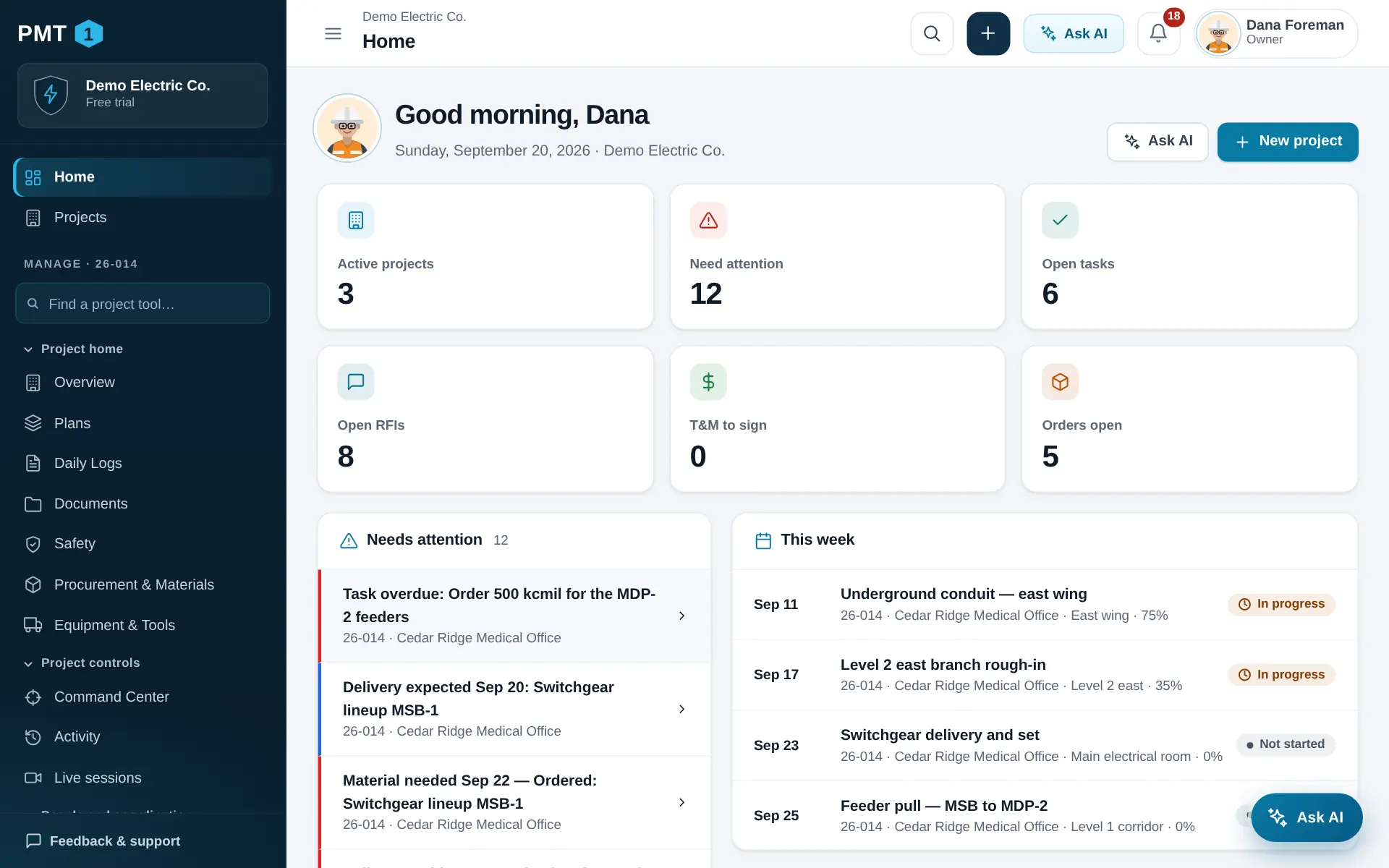
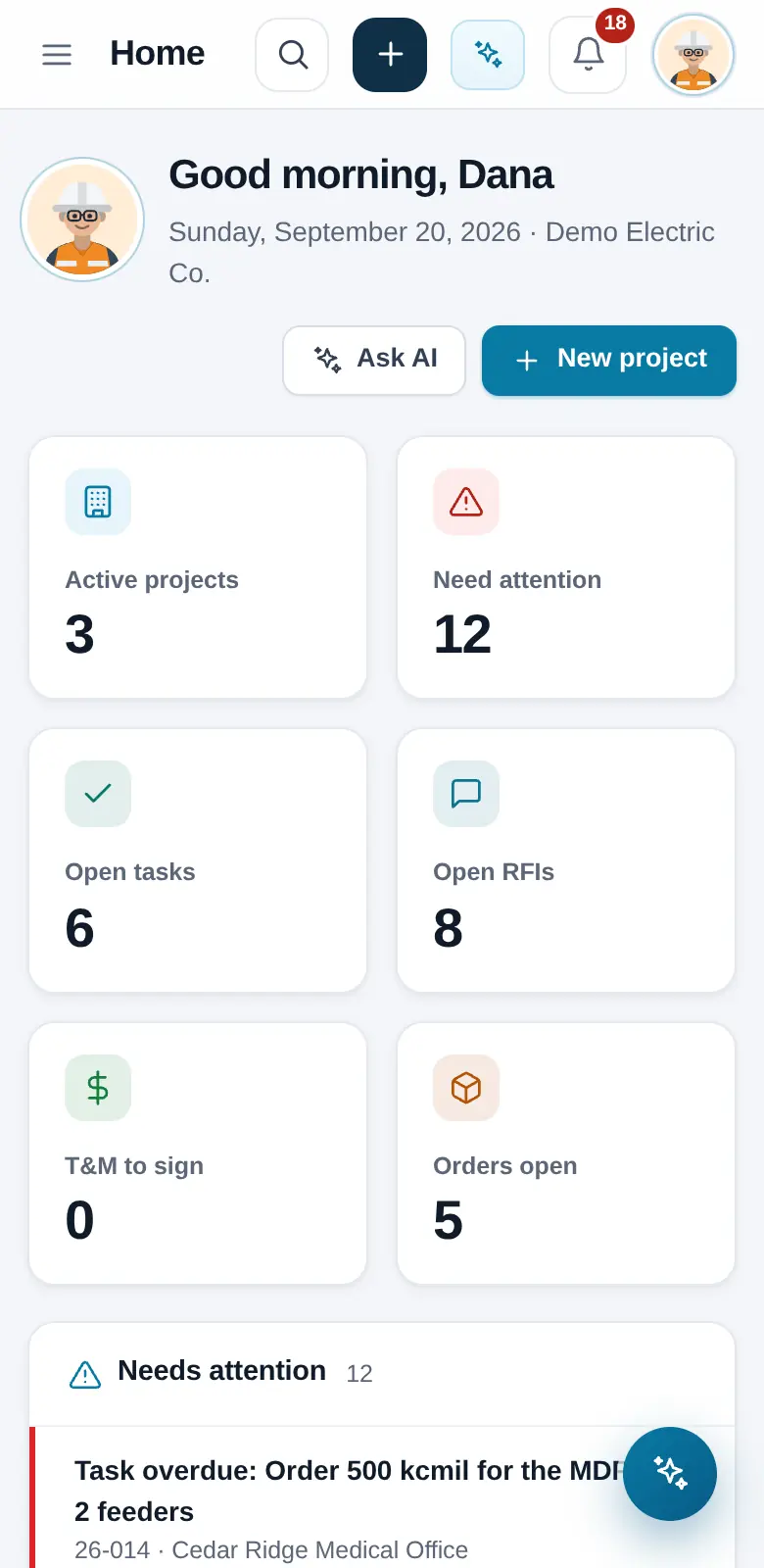
Product screens are shown with sample data.
Know what needs you
PMT1 reads every record on every job and puts the late, the due and the unsigned at the top of your day — overdue RFIs, rentals due back, deliveries that came in short, T&M waiting on a signature, tomorrow’s inspection, a certification about to expire.
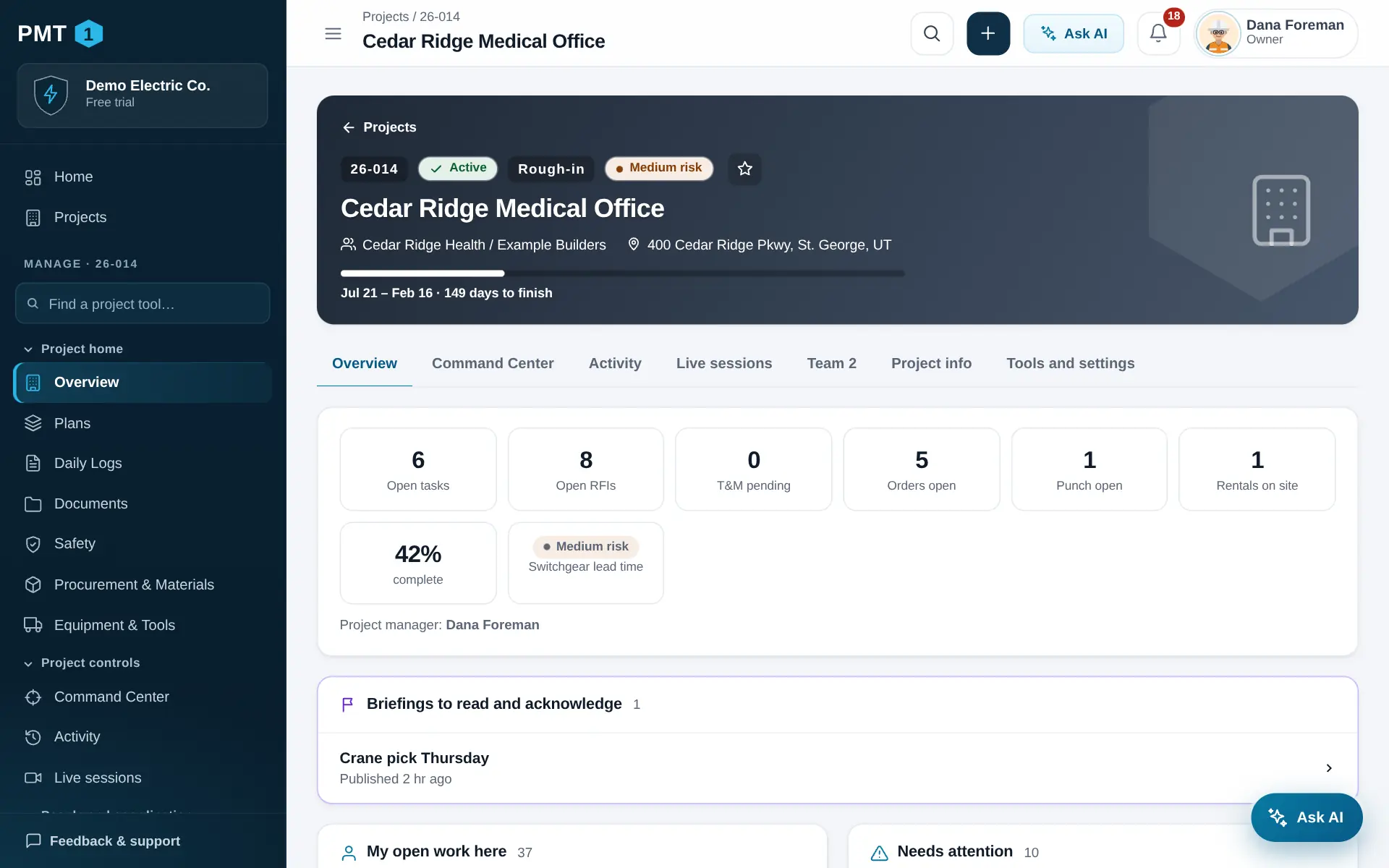
Schedule
Activities, milestones, crews and head count on one board, with the constraints that have to clear before the work can start. Switch to a Gantt of the whole job, or print the look-ahead for Monday’s meeting.
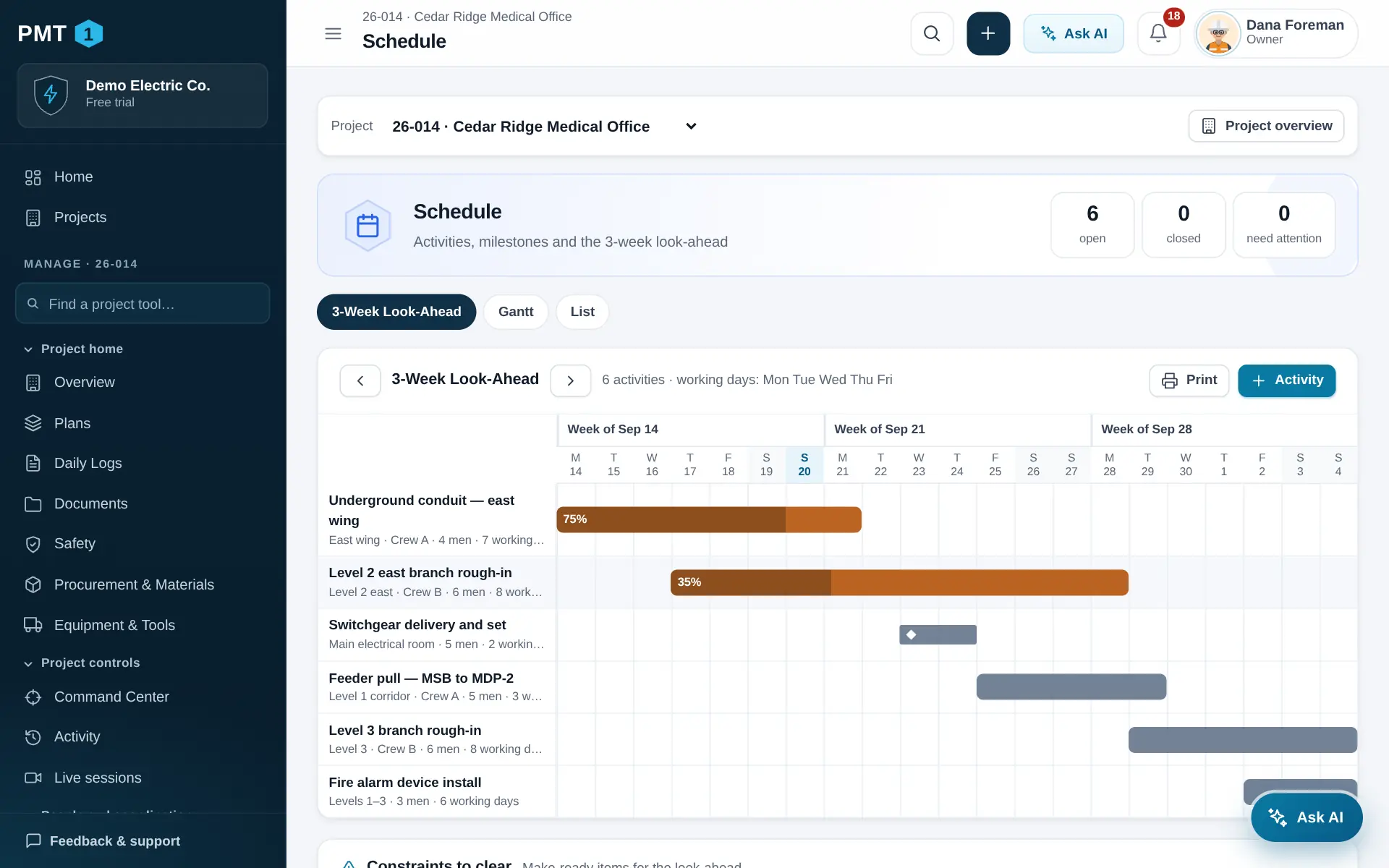
The paper trail
Every record is numbered, dated and tracked to a status, with comments, photos and files attached. T&M tickets carry labor, material and equipment — and get signed on the spot, on your phone, in front of the person who directed the work.
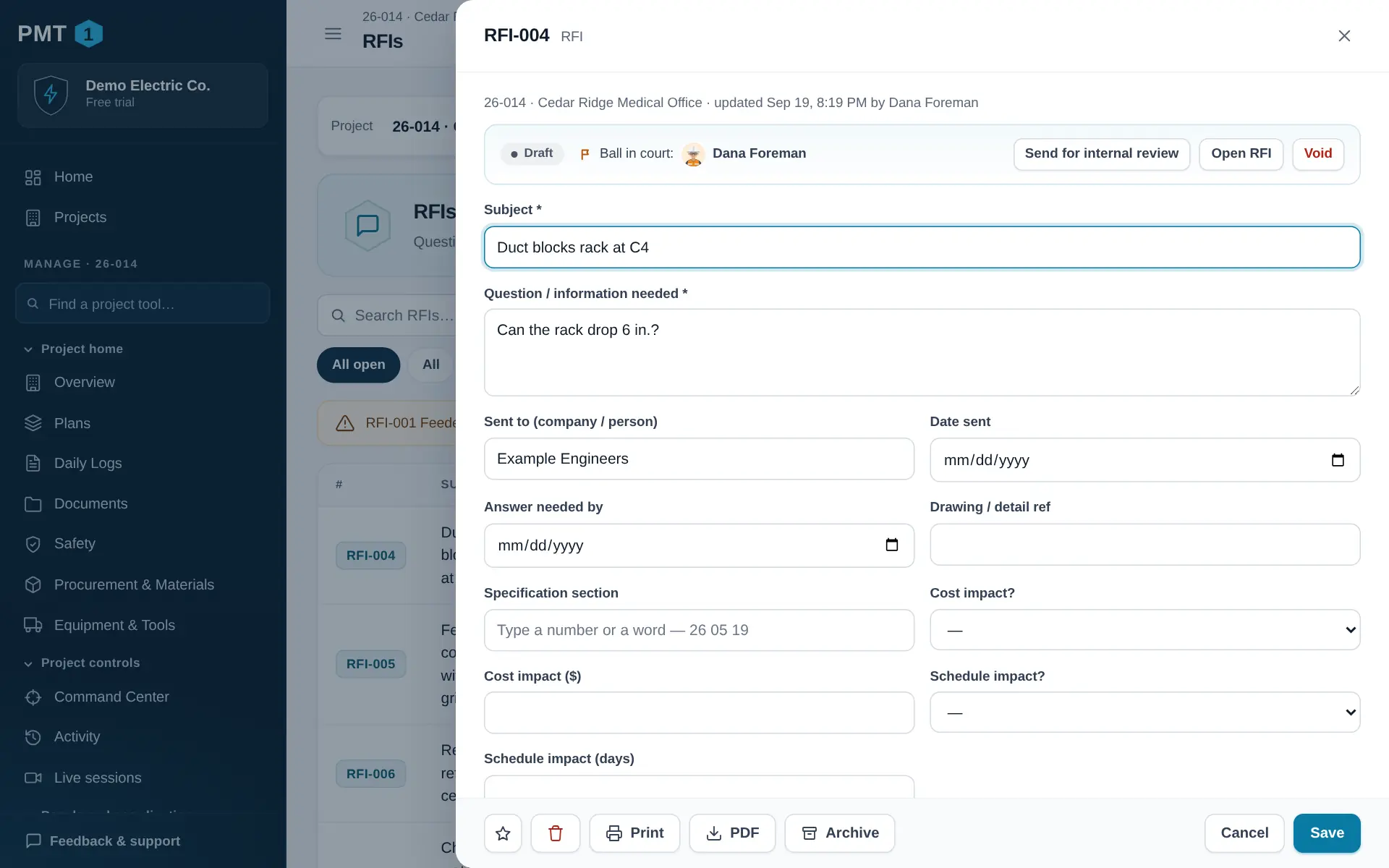
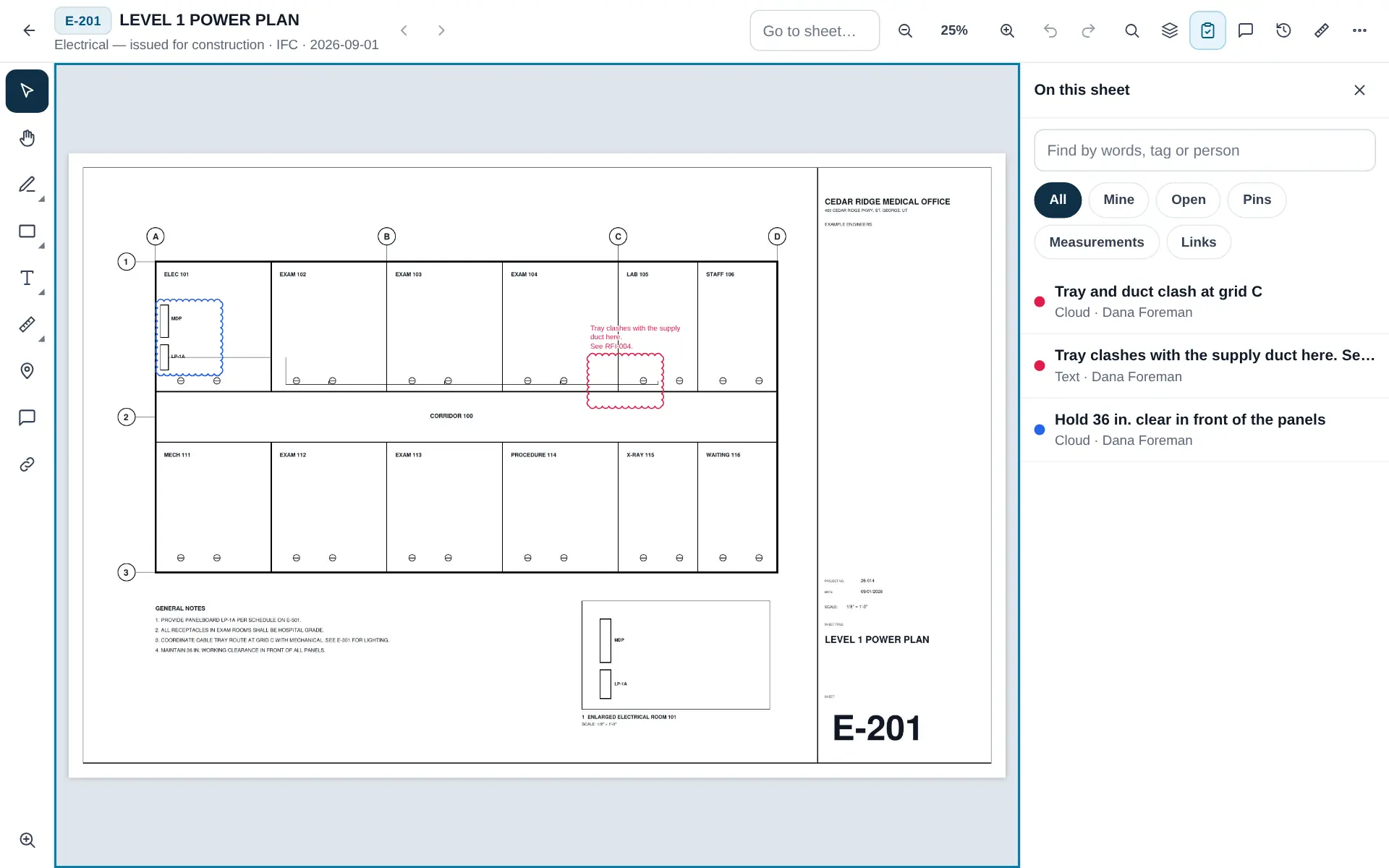
Plans
Upload the set once. Every sheet is numbered, searchable and linked, the newest revision is the one the field sees, and markups, measurements and pins stay with the sheet — tied to the RFI, issue or punch item they are about.
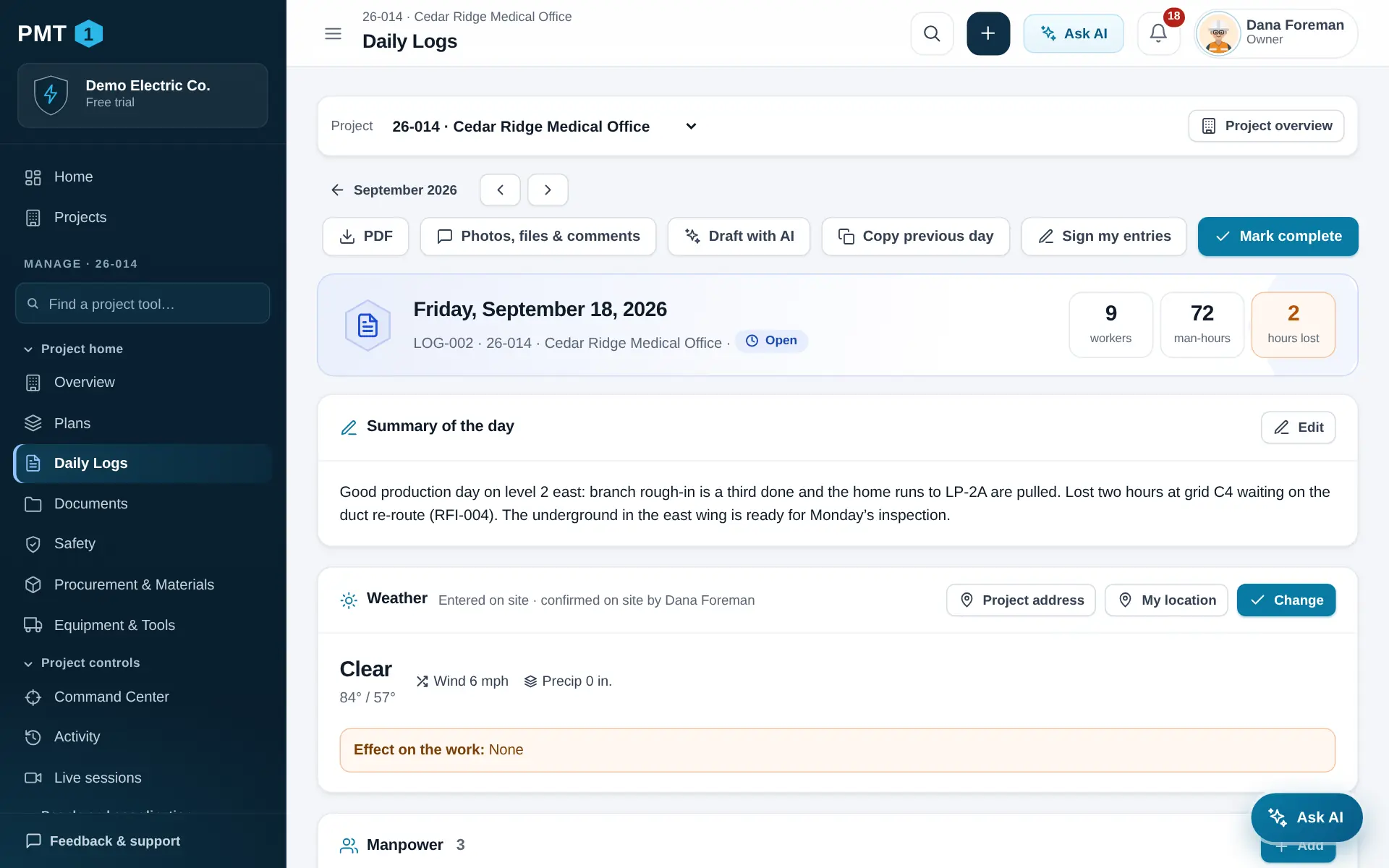
Daily logs
Weather comes in from the project address. Each foreman fills in their own crew, hours, work and deliveries; the day is combined into one report, signed, and emailed to the people who need it. Hours roll up by person, trade and cost code.
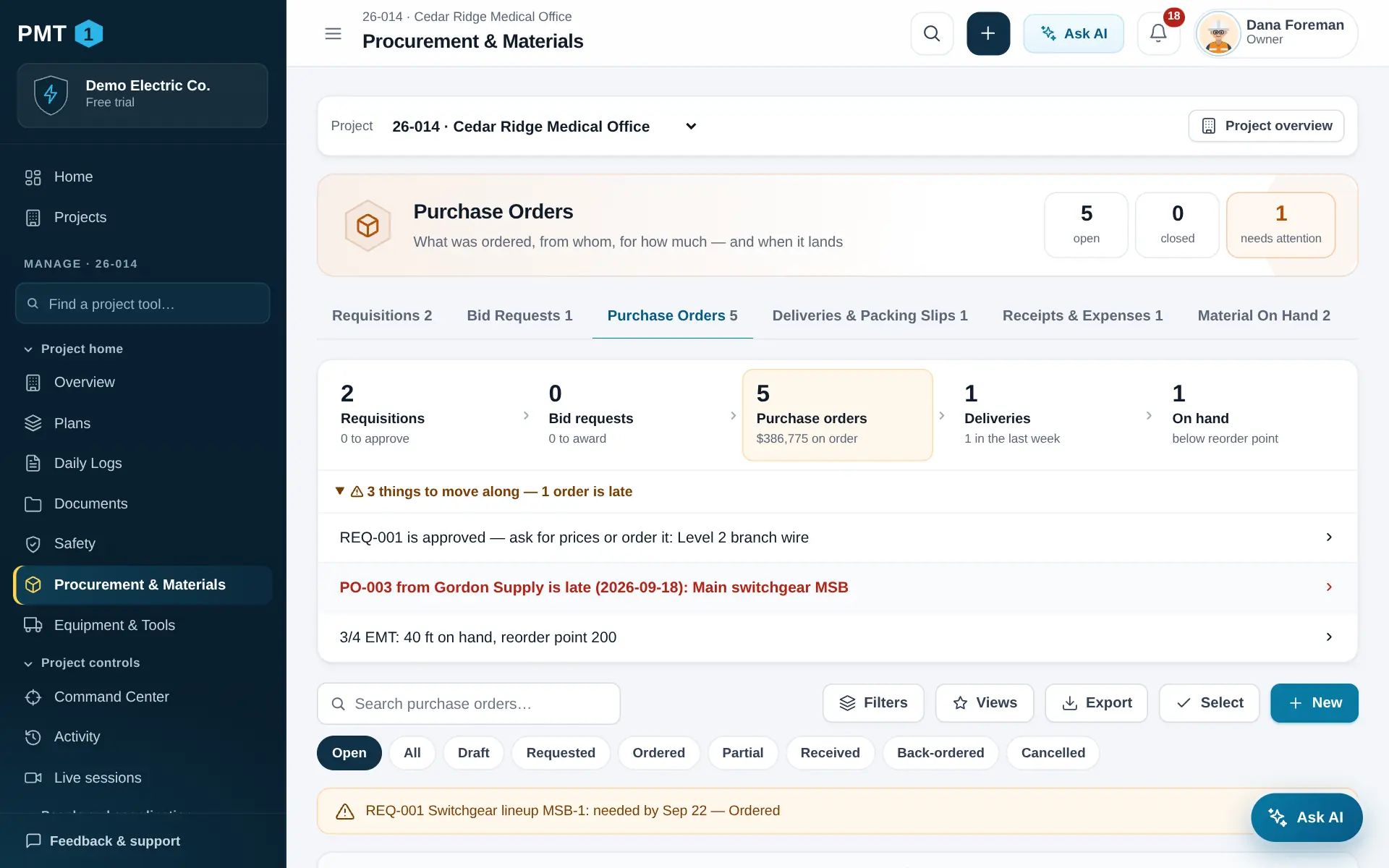
Procurement & equipment
Requisitions approved by a manager, quotes compared side by side, purchase orders with need-by dates, deliveries checked against what actually showed up, stock on hand, and rentals with return dates — so nobody pays another week on a lift that is sitting idle.
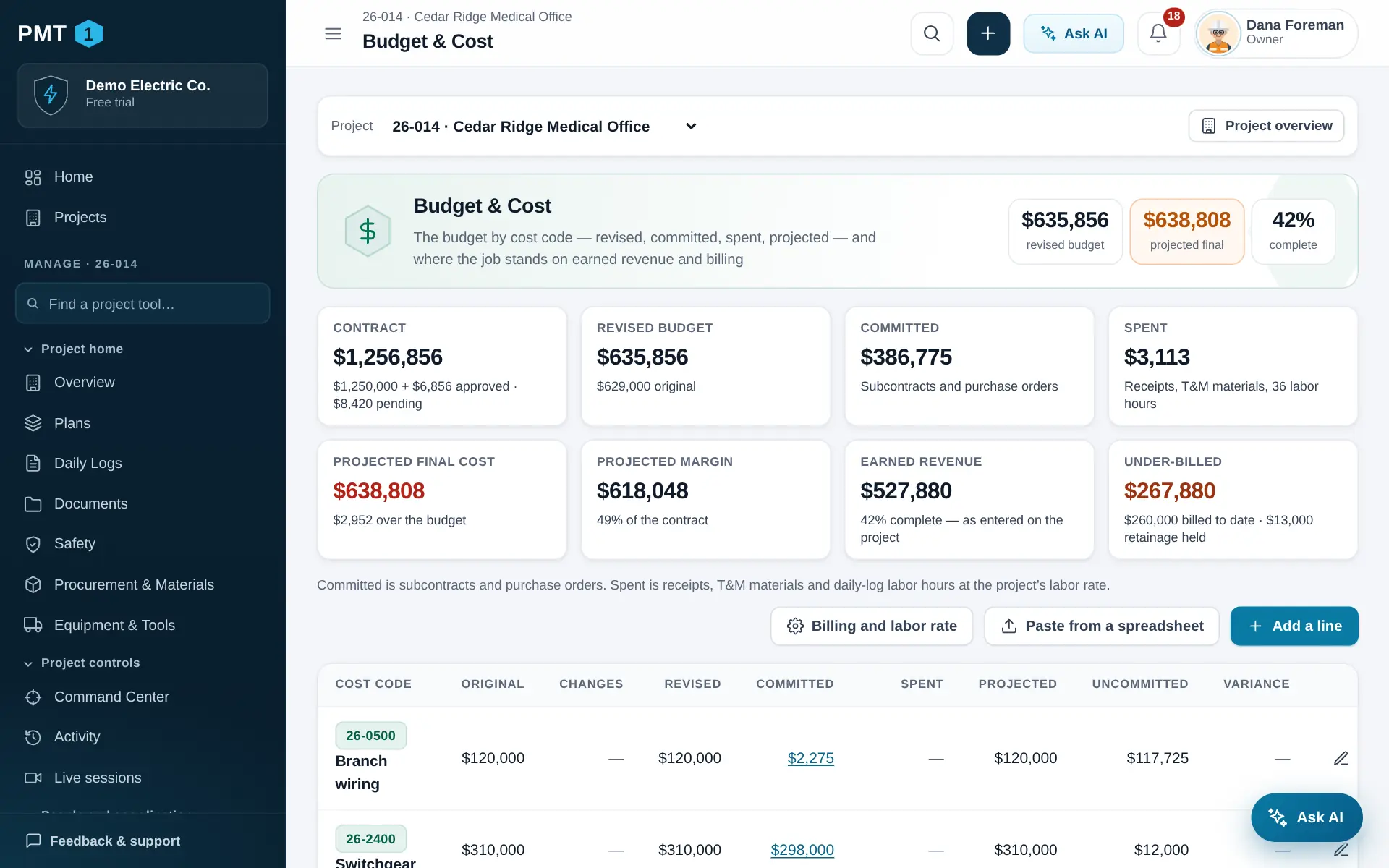
Budget and cost
Budget by cost code, revised by approved change orders, against what is committed and what is spent — with a projected final cost, percent complete, earned revenue and over- or under-billing.
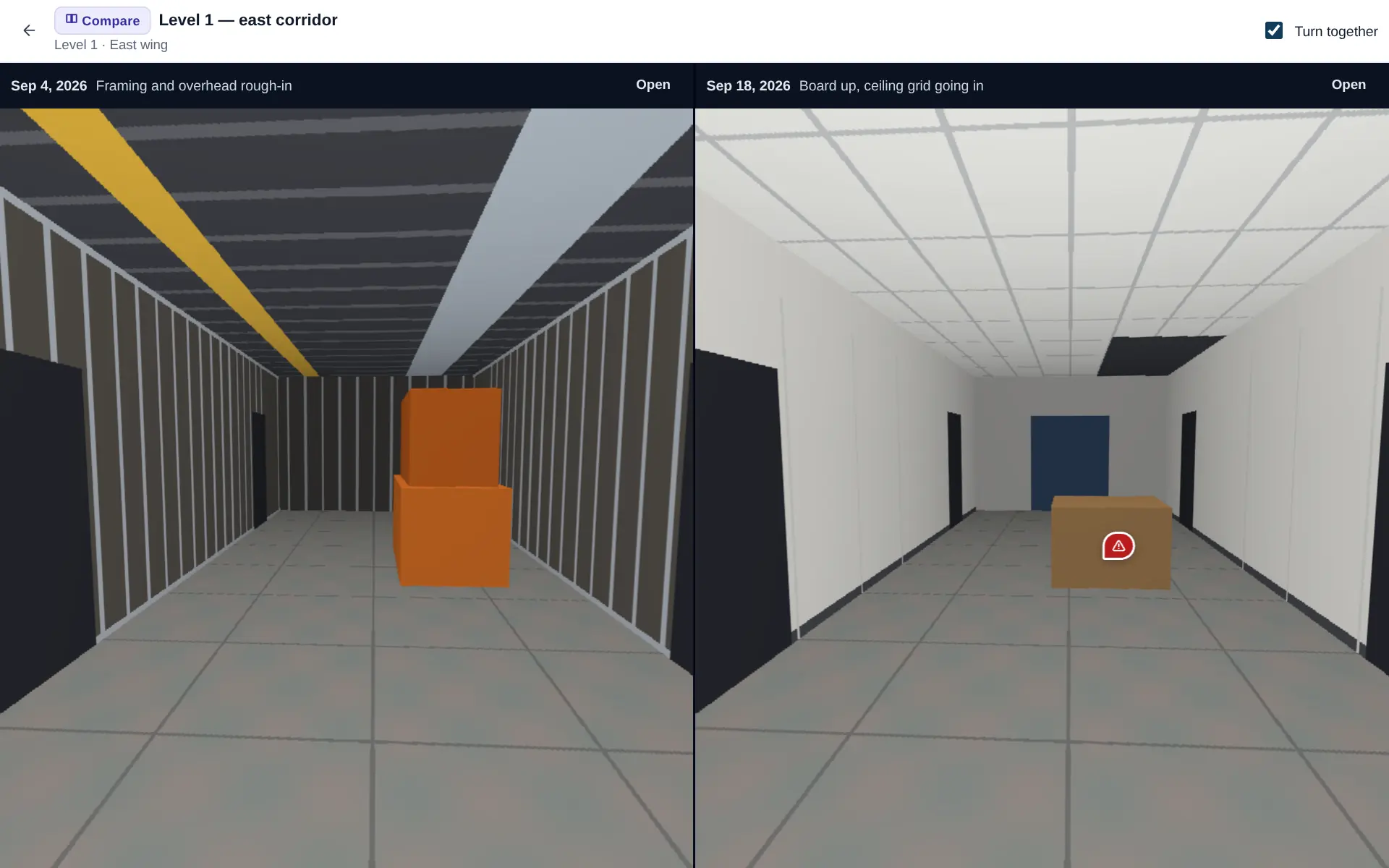
Models and 360
Open 3D models and drawings in the browser, slice them open, measure, and pin issues and RFIs where they are. Walk the job with a 360 camera and put two dates side by side to see what changed.
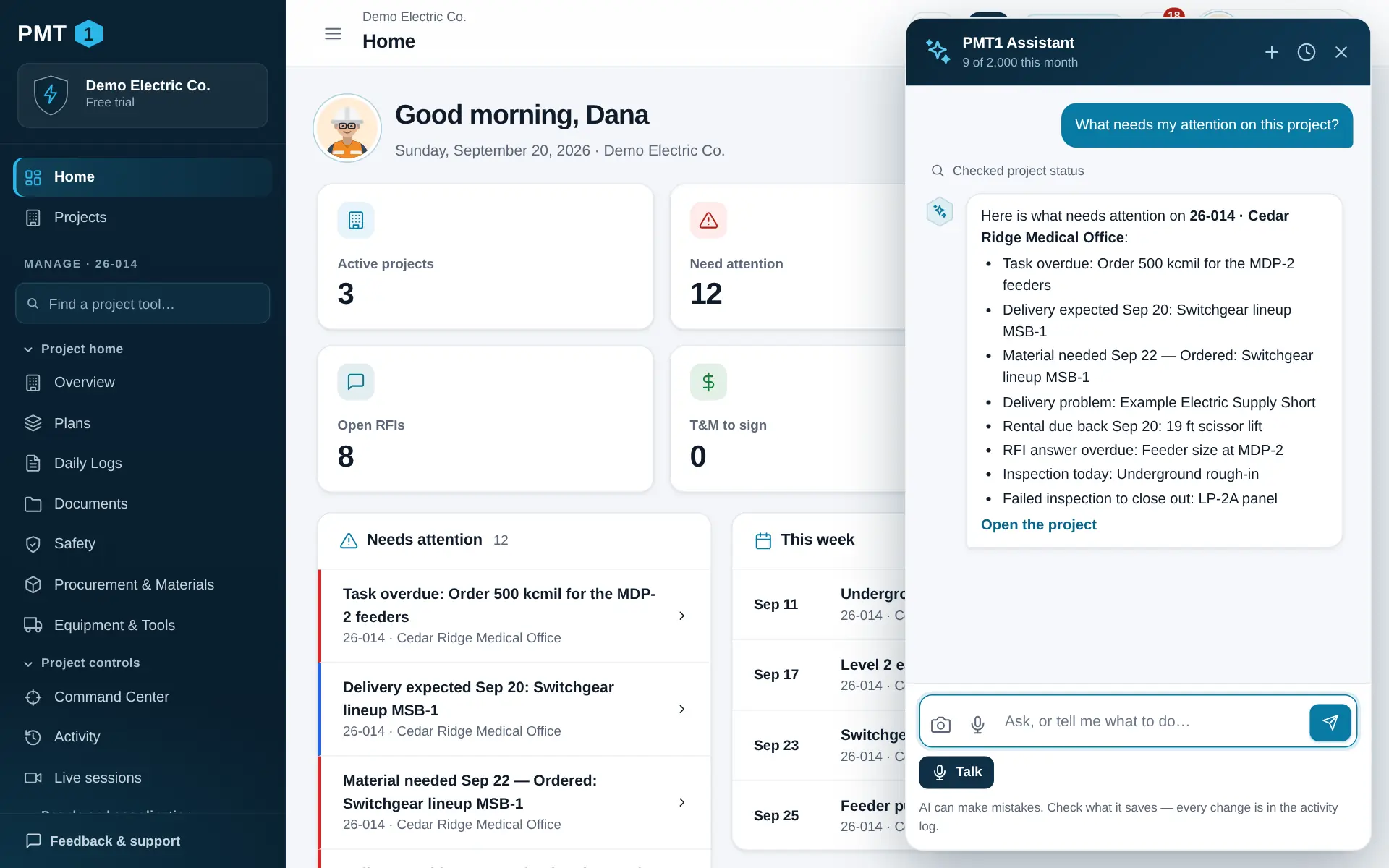
AI assistant
Ask what needs attention. Tell it to add an RFI. Snap a packing slip and have it log the delivery. The PMT1 assistant works with the same permissions you have, asks before it does anything risky, and every change it makes lands in the activity log.
The whole job
27 tools in six groups on every project, with service calls and the shop alongside. Records all work the same way, so once your crew has learned one, they have learned them all.
Current sheets, markups, measuring and revisions — on any device, with or without signal.
Every foreman’s part of the day, combined into one signed report. Or talk it through and let the assistant draft it.
A 3-week look-ahead, a Gantt, and the constraints to clear.
Numbered, dated, chased — with the ball always in someone’s court.
Priced, approved in order, and signed on the spot.
Requisitions, quotes side by side, purchase orders, deliveries and stock.
Budget by cost code against committed and spent, with a projected final.
Your own checklists, performed on a phone, signed and scored.
Safety meetings with sign-in, pre-task plans and incidents.
Open 3D models and drawings in the browser; pin issues and RFIs where they are.
Look around, pin what you see, and compare two dates side by side.
Handover readiness, and five reports as PDF and Excel.
From the call to the invoice: dispatch, the tech’s phone, quotes approved online, billing.
Factory assembly from receiving to shipping: routing, traveler, QC, NCRs, packing lists.
Security
Each company’s records are walled off inside the database itself, not just in the app. Inside your company, people see only the projects they are on.
Row-level security on every table. One company cannot read another’s data, even if our own code makes a mistake.
Any authenticator app. Passwords are hashed with a slow, salted algorithm and never stored as typed.
Who created, edited or deleted what — and when. Including anything the assistant did.
Encrypted in transit and at rest, hosted on Amazon Web Services in the United States, with automatic daily backups.
Built by a contractor
PMT1 started as the tool one electrical contractor built for its own foremen and project managers — because the big platforms were priced per seat, built for the office, and ignored by the field. Every screen is here because someone on a job needed it.
It is for general contractors, subcontractors and specialty trades alike.
Name, logo, time zone. Invite your people by email — they choose their own passwords.
Job number, customer, GC, dates and team. Add the schedule and contacts, or ask the assistant to.
RFIs, deliveries, T&M and safety from a phone. The office sees it the moment it is saved.
On the way
We only advertise what you can use today. This is not in the product yet — it will be included in every plan when it ships.
Planned. Today PMT1 runs in the browser on any phone, tablet or computer — nothing to install, and you can add it to your phone’s home screen like an app.
Priced per company, not per seat — so you never have to decide which foreman gets a login.
Small shops and single crews
Everything you need to run a few jobs at a time.
Billed monthly. Cancel anytime.
PMT1 is in a private beta. Plans are available to approved beta users only at this time; they will open to everyone as soon as the beta is finished.
Apply for beta access — Crew planGrowing contractors
Unlimited projects for a full project team.
Billed monthly. Cancel anytime.
PMT1 is in a private beta. Plans are available to approved beta users only at this time; they will open to everyone as soon as the beta is finished.
Apply for beta access — Contractor planMulti-crew and multi-office contractors
Room for the whole company, office and field.
Billed monthly. Cancel anytime.
PMT1 is in a private beta. Plans are available to approved beta users only at this time; they will open to everyone as soon as the beta is finished.
Apply for beta access — Company planLarge or multi-company teams
Custom rollout, limits and support.
Custom rollout and pricing.
PMT1 is in a private beta. Plans are available to approved beta users only at this time; they will open to everyone as soon as the beta is finished.
Contact sales — Enterprise planIn private beta right now. Ask for access and we will be in touch.